
By initdesk TeamCustomer support
When to use saved replies instead of AI drafts
Repetitive tickets are a strong fit for AI drafts and optional instructions, saved replies earn their place when every word must match policy, channel, or a close-and-resolve step.
initdesk gives you two fast paths in the ticket composer: Generate AI draft and Saved reply. They solve overlapping problems, but not the same ones.
For most repetitive threads, start with AI drafts. They pull from your help center, past tickets, and connected context, and you can steer them with a few words when the first pass misses the mark. Saved replies are for when the reply itself is the policy: exact wording your team has already approved, with light personalization on top.
Start with AI drafts for repetition
If you have answered a question ten times this week, an AI draft is usually the faster route. initdesk already knows the ticket, the customer, and what you have published. When the thread needs a judgment call, optional instructions turn a generic draft into something you would actually send. See Steer AI drafts with a few words for how that works in practice.
You still read, edit, and press Send. AI drafts are a starting point with context, not autopilot.
When saved replies are the better tool
Saved replies fit specific cases where paraphrase is the risk:
| Case | Why saved replies |
|---|---|
| Exact policy language | Refunds, legal disclaimers, security responses where every word matters |
| Org-wide consistency | Organization-shared templates so every associate sends the same approved wording |
| Channel-specific tone | Separate templates per email, Telegram, or WhatsApp instead of one body stretched across channels |
| Variables with fixed structure | Approved sentences with {{customer.name}}, {{ticket.id}}, and {{associate.name}} filled in at send time |
| Reply + close in one step | Wrap-up messages that should close and mark resolved (or invalid/other) when sent |
| Gold-standard replies | Codify the best replies from From founder-led support to a repeatable voice as shared templates |
If the right answer changes every time based on judgment, use AI drafts. If the right answer is the same approved text with light personalization, use a saved reply.
How saved replies work in initdesk
Open a ticket and insert a template from the composer + menu under Saved reply, or type
/ in the composer to search by name and fill the reply without leaving the keyboard. The picker is good for browsing; the slash command is the fast path when you already know which template you need.initdesk lists replies that match the ticket channel, renders variables for the current customer and ticket, and fills the composer. Edit if you need to, then send. A saved reply can also pre-select a close action when sent, which helps for common wrap-up messages.
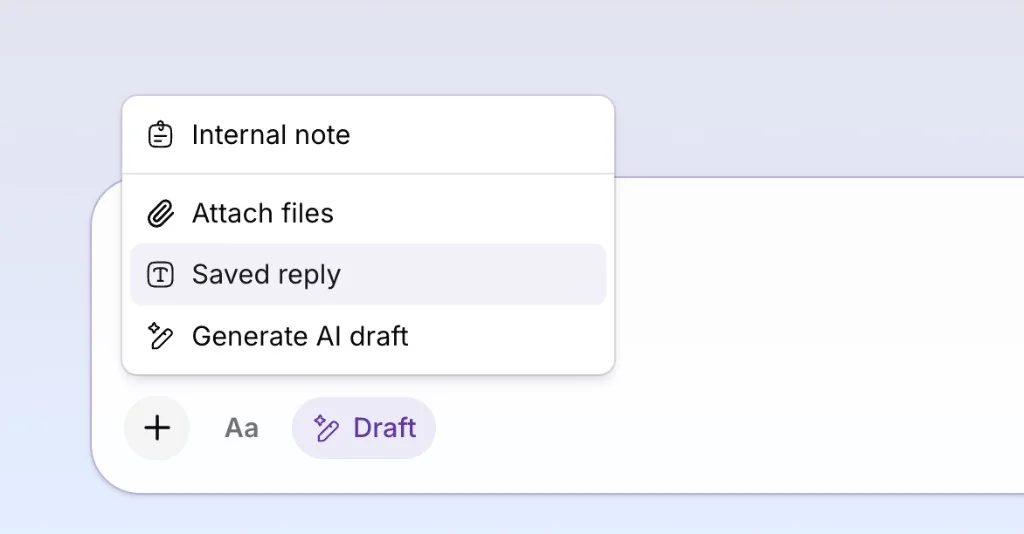
See the saved replies product update for what shipped.
A simple split for small teams
Personal saved replies work well for shortcuts you prefer: greetings, sign-offs, or phrasing you reach for often.
Shared saved replies (admins) belong on policy and onboarding flows the whole team must match.
When policy changes, update the template and the help center article. Stale macros still train customers to stop trusting you, whether a human or AI sent them.
initdesk is built for small teams who run email support as a shared inbox: AI drafts with optional instructions, saved replies for locked wording, help center context, tags, internal notes, and Linear when product needs the story. See Product Updates for recent releases. If you want to compare reply workflows or tooling, say hello on X @initdeskhq.