New Feature
Define customer interaction style per inbox
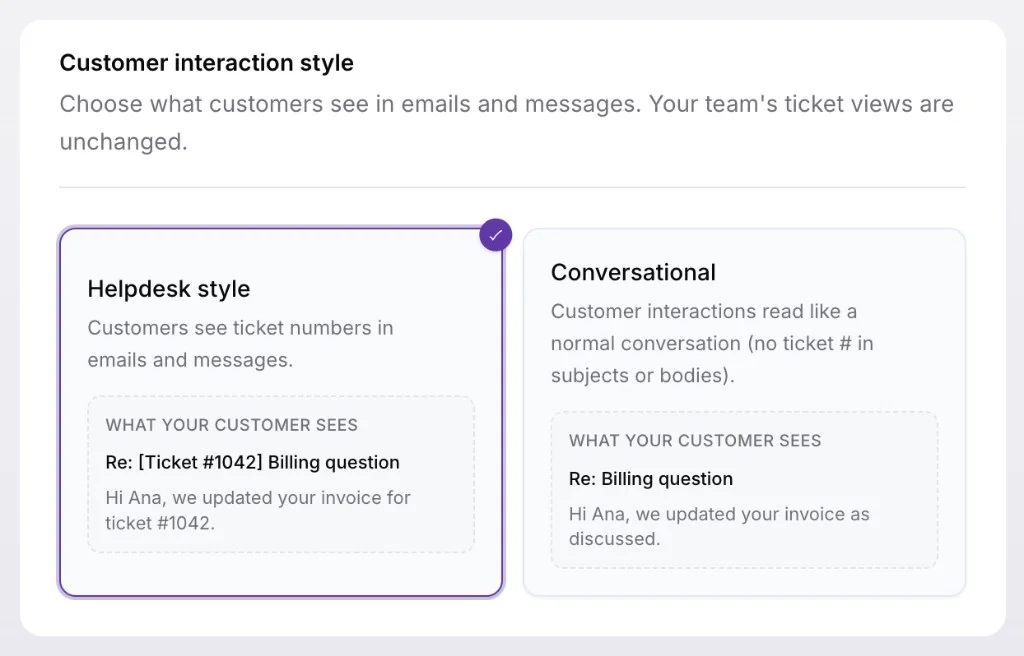
You can now choose how each inbox formats customer-facing emails and messages, so support can feel like a helpdesk for some teams and a normal conversation for others.
Go to Settings > Inboxes, open an inbox, and pick a style under General > Customer interaction style. Use Helpdesk style when customers should see ticket references in subjects and replies, or Conversational when you want interactions to read like everyday email without ticket numbers in what they receive.
The setting is per inbox, so one organization can keep a formal helpdesk flow for billing while a product inbox stays conversational. Your team's ticket views and workflows stay the same: only what customers see in outbound emails and messages changes.