New Feature
Move tickets to another inbox without losing the conversation
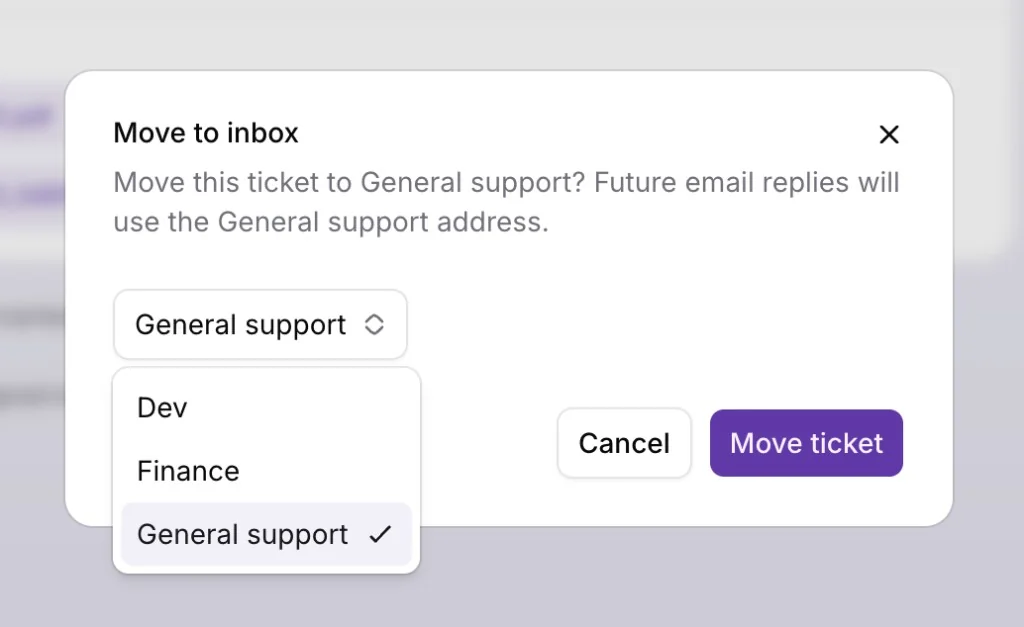
You can now move a ticket to another inbox without losing the conversation, so misrouted email and channel tickets can be handed off to the right team in one step.
Open a ticket, choose Move to inbox from the actions menu, pick the destination inbox, and confirm. The ticket keeps its full history, assignee, tags, and status, only the inbox it belongs to changes.
For email tickets, you can move to any other inbox you have access to. Future replies go out from the destination inbox address, so customers continue the same thread under the correct team or brand. For Telegram and other channel tickets, initdesk only shows inboxes with an active connection for that channel, so the conversation stays on the same channel after the move.
This is especially useful when a customer reaches the wrong inbox, when you reorganize teams, or when you want billing, product, and general support to each own their queue without starting a new ticket.