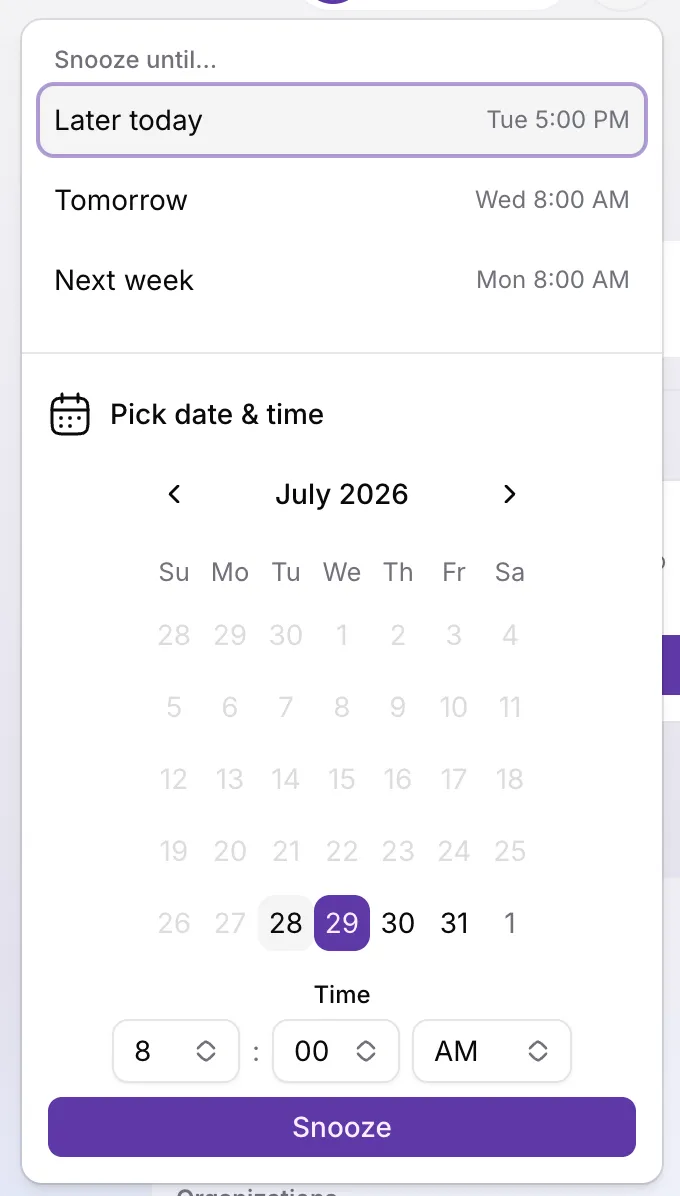
Posponer tickets hasta la hora de seguimiento
Ya puedes posponer tickets abiertos hasta la fecha y hora de seguimiento que elijas. Los tickets pospuestos salen de las vistas de trabajo abierto pero siguen abiertos, y los clientes nunca ven que un ticket está pospuesto.
Usa posponer cuando harás seguimiento más adelante, cuando esperas un evento externo o cuando quieres una pausa deliberada sin cerrar la conversación. Elige una hora hasta 90 días adelante desde Posponer en la página del ticket (arriba a la derecha) o a la derecha de la barra de filtros de la bandeja. Reprograma posponiendo de nuevo, o recupera un ticket antes con Quitar posposición.
Abre la pestaña fija Pospuestos en la bandeja para revisar lo aparcado y cuándo vuelve cada ticket. Cuando vence el temporizador, el ticket regresa como necesitando respuesta y el asignado y quien lo pospuso reciben una notificación en la app. Las respuestas del cliente o de un CC quitan el pospuesto al instante para no perder nada.
Para configuración, casos límite y cómo interactúa con el cierre automático, consulta Posponer un ticket. Para una guía práctica y hábitos de triaje, ver Posponer un ticket hasta la hora de seguimiento.