Modifier le demandeur d'un ticket e-mail sans perdre la conversation
Les agents peuvent désormais modifier le demandeur (client) d'un ticket e-mail lorsque la mauvaise personne a été associée, sans recréer le ticket ni perdre l'historique de la conversation.
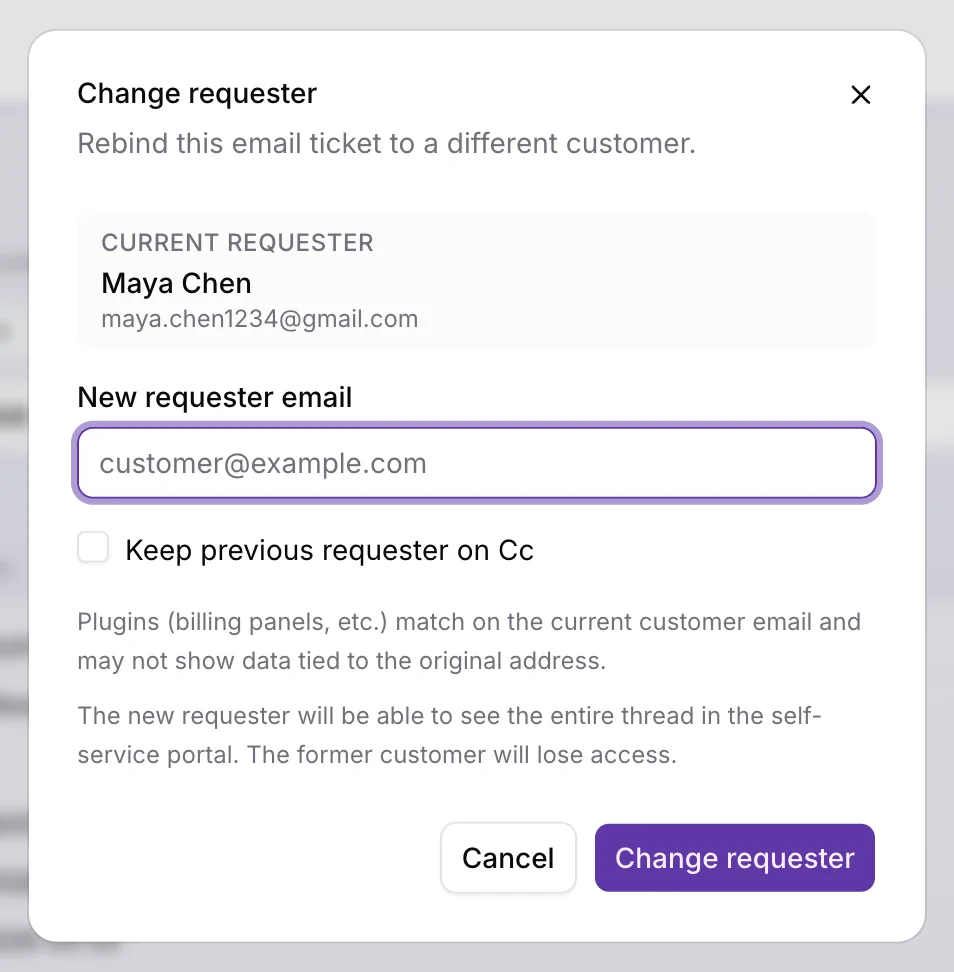
Ouvrez un ticket e-mail, ouvrez le menu ⋯ Actions en haut à droite de l'écran du ticket, choisissez Modifier le demandeur, vérifiez le demandeur actuel, puis saisissez l'e-mail du nouveau client (choisissez un client existant ou créez-en un avec un nom obligatoire). Confirmez pour rattacher le ticket. initdesk conserve le fil complet, ajoute une note interne système qui documente le changement, et actualise le contexte de la barre latérale, les plugins, les tickets récents et l'adresse À de la réponse pour la nouvelle identité.
Si votre organisation a le routage CC par e-mail activé, vous pouvez cocher optionnellement Conserver le précédent demandeur en Cc (désactivé par défaut). L'action est réservée aux e-mails et suit les mêmes règles d'accès à la boîte de réception que les autres actions privées du ticket. Elle n'est pas disponible sur les organisations en essai : contactez le support si vous en avez besoin pendant l'essai.
Utilisez-la quand un transfert d'un collègue, une adresse de boîte partagée ou une erreur de tri précoce a laissé le mauvais client sur le ticket. Soyez prudent lorsque des plugins dépendent de l'e-mail du client actuel, et lorsque le libre-service est activé : le nouveau demandeur obtient l'accès au portail pour tout le fil, et l'ancien le perd.
Pour un guide plus complet, voir Mauvais client sur un ticket e-mail ? Corrigez le demandeur sans perdre le fil.