Amélioration
Options de mise en page du Centre d'aide
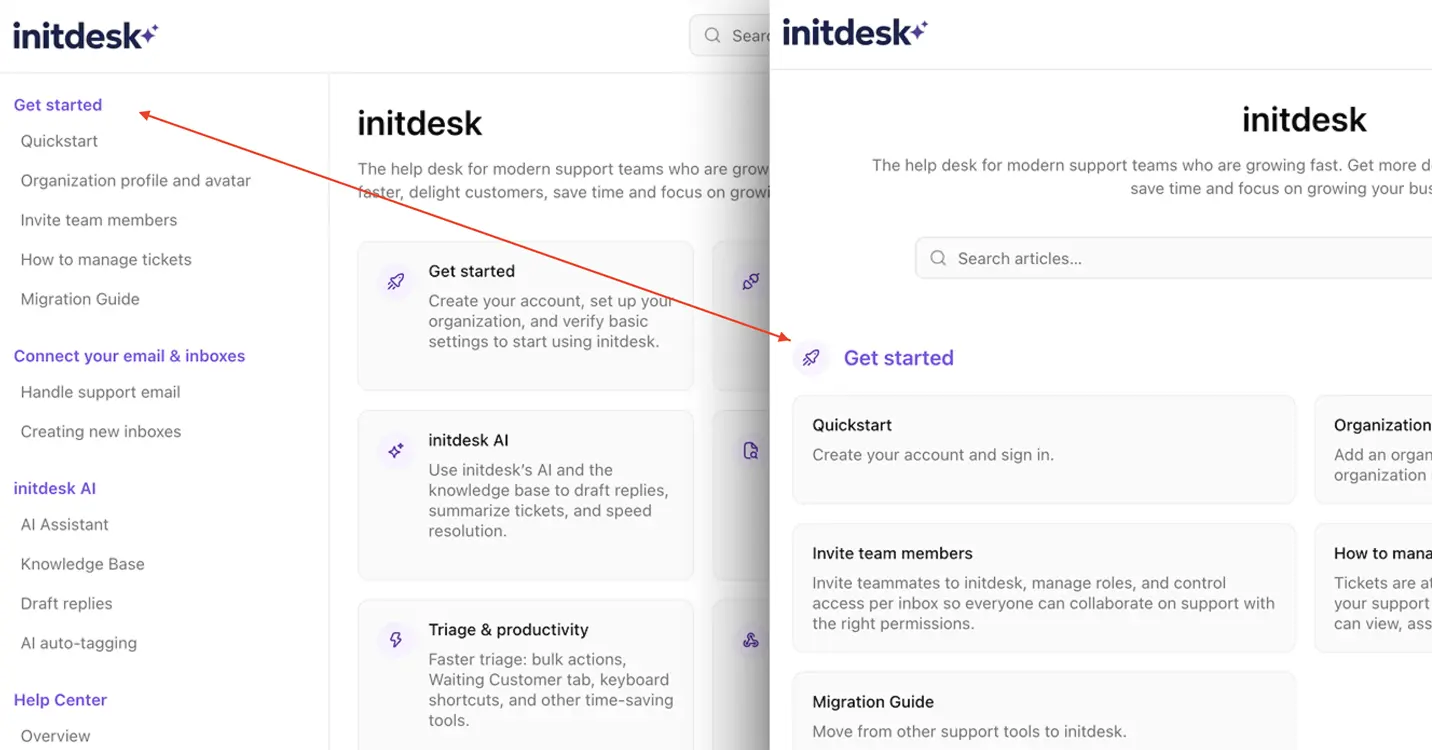
Vous pouvez désormais choisir comment votre Centre d'aide s'affiche, pour que l'expérience de navigation corresponde à votre produit, votre audience et votre style de documentation.
Nouveautés
- Deux options de mise en page : utilisez une barre latérale gauche pour une navigation plus technique, style documentation, ou une liste de collections centrée pour une navigation plus simple et légère.
- Pensé pour des usages différents : les mises en page avec barre latérale conviennent bien aux produits SaaS avec une documentation plus profonde, tandis que la liste convient aux équipes qui veulent un centre d'aide plus épuré et accessible.
- Collection Hugeicons : rendez votre centre d'aide plus visuel avec de grandes icônes pour les collections sur la page d'accueil.
Choisissez le modèle qui convient le mieux à votre marque et à vos clients.