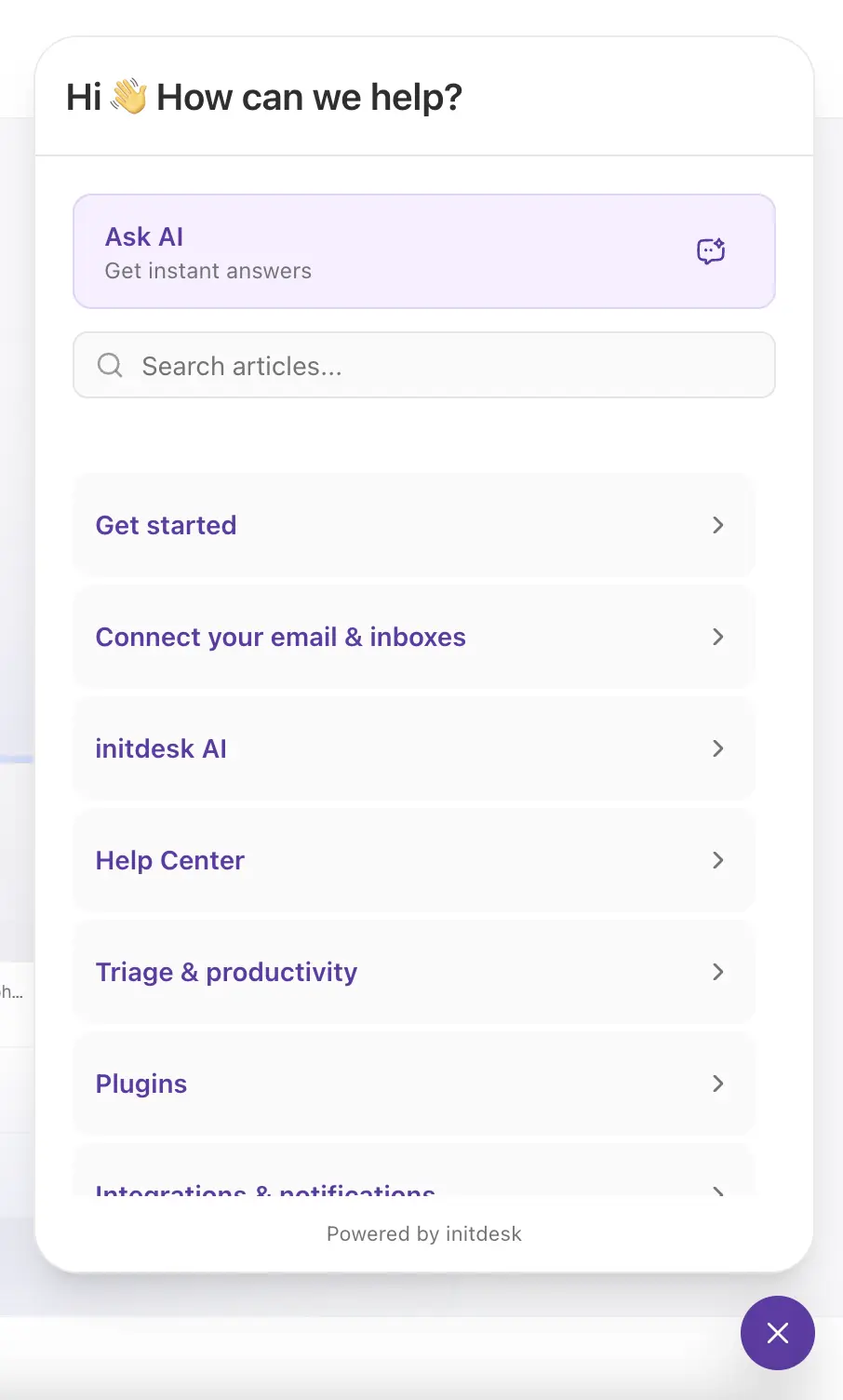
Nouvelle fonctionnalité
Live chat
Vous pouvez maintenant ajouter le widget Live chat d’initdesk à votre site web, pour que les visiteurs obtiennent de l’aide immédiatement sans quitter la page.
Live chat intègre votre Centre d’aide dans un petit widget web. Les clients peuvent poser des questions en langage naturel, chercher dans vos articles publiés et parcourir le contenu du Centre d’aide directement depuis la page qu’ils consultent.
Le widget s’installe avec une seule balise JavaScript et reprend automatiquement l’identité visuelle de votre Centre d’aide, y compris votre couleur principale.
Comment ça marche
- Copiez l’extrait du widget depuis Centre d’aide > Widget de chat dans initdesk.
- Ajoutez l’extrait à votre site : la plupart des équipes le collent juste avant la balise de fermeture
</body>, ou le publient via Google Tag Manager comme balise HTML personnalisée (souvent le plus rapide quand le marketing gère le tagging). - Les visiteurs peuvent ouvrir le widget, poser des questions et parcourir vos articles publiés du Centre d’aide.
- Live chat répond à partir du contenu publié de votre Centre d’aide, ce qui aide les clients à se débrouiller seuls avant de contacter votre équipe.